Table of Contents
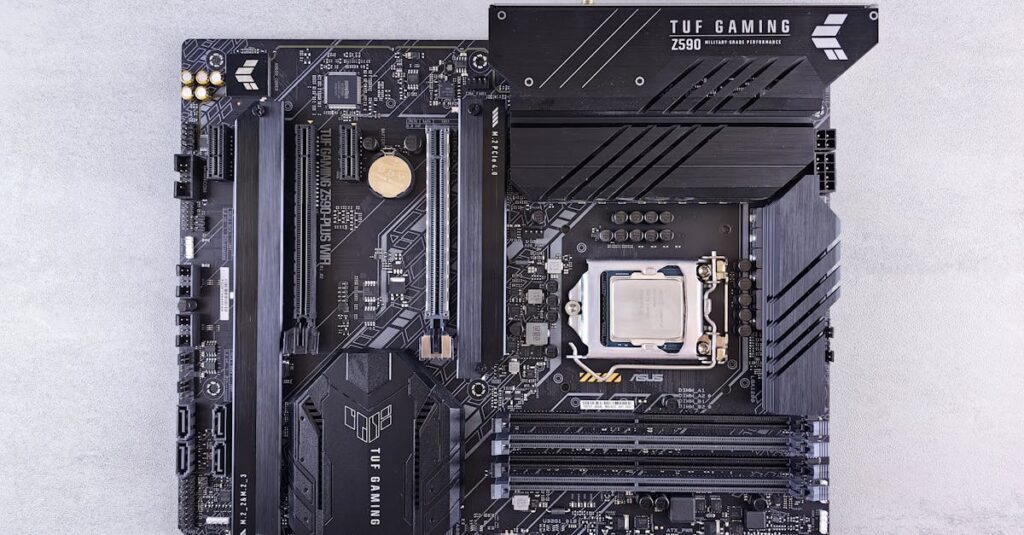
ToggleIn the world of computers, the motherboard is like the bustling city center, and I/O ports are the vital roads connecting everything. Without these ports, your shiny new graphics card, keyboard, and mouse would be like cars stuck in traffic—frustrated and going nowhere. Understanding motherboard I/O ports isn’t just for tech enthusiasts; it’s essential for anyone looking to build or upgrade their system.
Overview of Motherboard I/O Ports
Motherboard I/O ports serve as critical interfaces between a computer and its peripherals. USB ports connect various devices like flash drives and printers directly to the system. HDMI ports handle video output to monitors, facilitating high-definition displays. Ethernet ports enable wired internet connections, ensuring fast and reliable network access.
Audio jacks provide connections for speakers and microphones, allowing users to engage fully with multimedia content. Additionally, these ports often include legacy connectors like PS/2 slots for older keyboards and mice. SATA ports connect storage devices, such as SSDs and HDDs, enabling data transfer between the storage and system.
Each port type varies in terms of function and data transfer speed. USB 3.0 ports offer significantly faster data rates than previous versions, accommodating modern storage devices efficiently. Furthermore, newer motherboards increasingly support Thunderbolt ports, allowing for rapid data transfer and connecting multiple devices through a single port.
Understanding the layout and capabilities of I/O ports on a motherboard is essential for optimal system performance. Identifying port locations aids in proper device connections, minimizing the risk of compatibility issues. Selecting a motherboard with diverse I/O ports ensures flexibility in device usage.
Common Types of Motherboard I/O Ports
Understanding the various types of motherboard I/O ports enhances one’s capability to build or upgrade a computer effectively. These ports provide essential connections for a range of devices.
USB Ports
USB ports serve as universal connectors for multiple devices. They accommodate peripherals like flash drives, keyboards, and mice. USB 3.0 ports enable faster data transfer rates, reaching up to 5 Gbps. Newer USB versions, such as USB-C, offer additional benefits, including a reversible connector for user convenience. Most motherboards feature multiple USB ports, enhancing device compatibility for various needs.
HDMI and Display Ports
HDMI and display ports facilitate video output to monitors and televisions. HDMI ports transmit high-definition video and audio, accommodating digital displays without quality loss. Additionally, DisplayPort offers similar capabilities, including support for higher refresh rates and resolutions. Many motherboards include multiple HDMI and display connections, catering to users requiring multi-monitor setups or high-definition content playback.
Ethernet Ports
Ethernet ports provide wired internet connectivity, ensuring stable and fast network access. These ports often support various speeds, with Gigabit Ethernet commonly reaching up to 1 Gbps. Wired connections through Ethernet offer lower latency compared to wireless connections, promoting better performance for gaming and streaming. Most motherboards feature at least one Ethernet port, making it crucial for users who seek reliable internet access.
Audio Jacks
Audio jacks allow for the connection of speakers and microphones, enabling audio input and output. Standard configurations include 3.5mm headphone and microphone jacks, supporting various audio devices. Some motherboards offer additional ports for surround sound systems, enhancing the overall audio experience. Quality audio hardware demands properly configured audio jacks to ensure optimal sound performance, making these connections essential in multimedia setups.
Importance of I/O Ports in Motherboards
I/O ports play a critical role in the overall functionality of a motherboard. They establish connections between the computer and essential peripherals. USB ports enable efficient communication with devices like flash drives and printers. High-speed USB 3.0 and contemporary USB-C ports enhance data transfer rates while offering user-friendly features.
HDMI and DisplayPort ports provide seamless audio and video output to monitors and televisions. They support high-resolution content and multi-monitor setups, catering to professionals and gamers alike. Ethernet ports ensure stable wired internet connectivity, which is key for reliable gaming and streaming experiences. Without these, fluctuations in online performance can occur, impacting usability.
Audio jacks allow the connection of speakers and microphones. These ports are crucial for multimedia setups like video conferencing or gaming, significantly enhancing interaction quality. Each type of port varies in function and data transfer speed, making it vital to understand their specific capabilities.
Understanding the layout and types of I/O ports on a motherboard facilitates optimal system performance. Selecting a motherboard with a wide range of ports allows flexibility in device usage. Compatibility and future-proofing become more manageable when diverse I/O options are available. Hence, considering the importance of I/O ports becomes essential when building or upgrading any computer system.
Compatibility Considerations
Compatibility plays a significant role in maximizing the potential of motherboard I/O ports. Understanding the support for various devices and adherence to version standards can ensure optimal performance.
Device Support
Different ports cater to specific devices. USB ports, for instance, support peripherals like keyboards, mice, and external storage. HDMI and DisplayPort connect to displays and TVs, allowing for high-definition video. Devices like printers and audio interfaces require precise port types to function effectively. Selecting a motherboard with diverse I/O ports enables broad device compatibility, which enhances user experience. Check device specifications to confirm support for the intended connections.
Version Standards
Version standards govern data transfer speeds and interoperability. USB 3.0 offers improved speed over its predecessors, while USB-C provides advantages like reversible connectors and higher power delivery. HDMI 2.0 and DisplayPort 1.4 support 4K video at higher refresh rates, crucial for gamers and content creators. Understanding these standards ensures that hardware meets future performance needs. Users benefit from selecting motherboards that align with the latest I/O standards to enhance longevity and system capability.
Future Trends in Motherboard I/O Ports
Emerging trends in motherboard I/O ports focus on increased data transfer speeds and enhanced connectivity options. High-Speed USB standards, such as USB4, promise faster rates up to 40 Gbps, ensuring smoother device interaction and quicker file transfers. Innovations in USB-C technology continue to add versatility, allowing for charging and data transfer through a single port.
Advancements in audio technology lead to the inclusion of upgraded audio jacks and digital interfaces, which improve sound quality. Thunderbolt ports are becoming more prevalent, supporting data, video, and power through one connection, catering to high-performance users and expanding peripheral options.
Enhanced video output technologies aim to support higher resolutions and refresh rates, aligning with the growing demand for 4K and 8K displays. HDMI 2.1 supports these needs well, offering features like variable refresh rates, making it ideal for gamers.
Networking ports evolve with 10 Gigabit Ethernet becoming increasingly standard, promoting faster internet connectivity essential for gaming and content streaming. Wi-Fi 6E integration on motherboards enhances wireless connectivity, providing faster speeds and lower latency for more responsive online experiences.
Understanding these trends helps in choosing motherboards designed for future-proofing. Compatibility remains vital; new ports and standards support the latest devices and technologies, ensuring seamless integration. As requirements for performance and efficiency rise, the landscape of I/O ports will expand, influencing how systems are built and upgraded.
Conclusion
Mastering the intricacies of motherboard I/O ports is essential for anyone looking to build or upgrade a computer. These ports not only facilitate connections with various peripherals but also significantly impact overall system performance. By understanding the types and capabilities of each port users can ensure compatibility and optimal functionality for their devices.
As technology continues to evolve selecting a motherboard with a diverse range of I/O options becomes increasingly important. This foresight allows users to adapt to future advancements while maximizing their system’s capabilities. Embracing the latest standards and trends in I/O technology will ultimately enhance the computing experience and ensure longevity in a rapidly changing digital landscape.